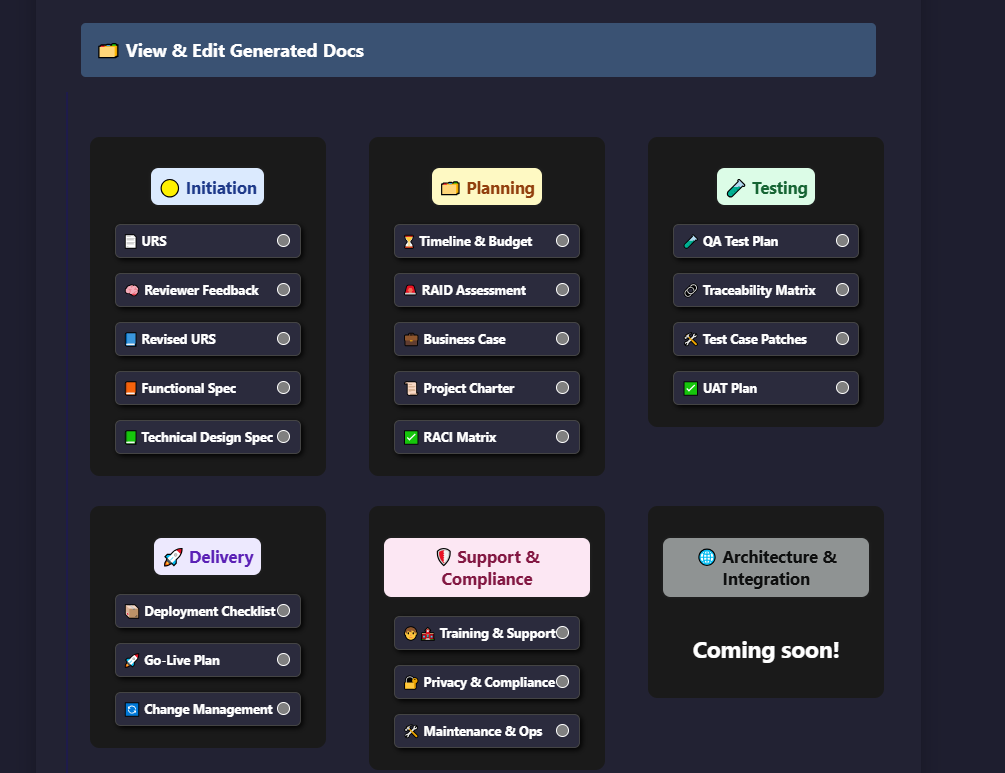
Prompt on the left. AI-generated Documentation on the right.
Project Name: Epoch Equipment Maintenance Tracker
Primary Users: Maintenance technicians, plant managers, and safety officers
Core Goals:
- Schedule and log preventative maintenance tasks
- Track equipment status, maintenance history, and downtime
- Provide real-time alerts for overdue maintenance
- Support inspection checklists and compliance reporting
Key Features:
- Asset registry (equipment ID, type, location)
- Maintenance schedule with reminders
- Role-based access: technician, supervisor, admin
- Export maintenance logs in PDF and Excel
Integrations: Azure AD, Microsoft Teams (for notifications)
Tech Preferences: Azure SQL, Power Platform
Constraints: OSHA compliance, GxP, US privacy laws
User Requirements Specification for Epoch Equipment Maintenance
Project Summary
The Epoch Equipment Maintenance Tracker is a data visualization platform designed to streamline maintenance operations for maintenance technicians, plant managers, and safety officers. The platform aims to schedule and log preventative maintenance tasks, track equipment status and maintenance history, provide real-time alerts for overdue maintenance, and support inspection checklists and compliance reporting. Key features include an asset registry, maintenance schedule with reminders, role-based access control, and the ability to export maintenance logs in PDF and Excel format. The platform will integrate with Azure AD and Microsoft Teams for notifications, and will be built using Azure SQL, Power Platform, and SharePoint technologies, while adhering to OSHA compliance, GxP, and US privacy laws.
Functional Requirements
UR1: Asset Registry
The system shall allow users to create and maintain an asset registry containing equipment ID, type, and location.
Users shall be able to search for assets based on ID, type, or location.
The system shall provide the ability to update asset information.
UR2: Maintenance Scheduling
Users with supervisor or admin roles shall be able to schedule preventative maintenance tasks for assets.
The system shall send reminders to technicians for upcoming maintenance tasks.
Maintenance schedules shall be editable and viewable by authorized users.
UR3: Equipment Status Tracking
The platform shall track equipment status, maintenance history, and downtime for each asset.
Users shall be able to view the maintenance history of an asset, including completed tasks and upcoming maintenance.
UR4: Real-time Alerts
The system shall generate real-time alerts for overdue maintenance tasks.
Alerts shall be sent to technicians and supervisors via Microsoft Teams notifications.
UR5: Inspection Checklists and Reporting
The platform shall support the creation and management of inspection checklists.
Users shall be able to generate compliance reports based on inspection checklist results.
UR6: Role-based Access Control
The system shall provide role-based access control with three roles: technician, supervisor, and admin.
Each role shall have specific permissions and capabilities within the platform.
UR7: Export Functionality
Users shall be able to export maintenance logs in PDF and Excel formats.
Exported logs shall include detailed information about maintenance tasks and equipment status.
Non-Functional Requirements
NFR1: Security and Compliance
The platform shall comply with OSHA regulations, GxP guidelines, and US privacy laws.
Access to sensitive data shall be restricted based on user roles and permissions.
NFR2: Performance
The system shall provide real-time alerts with minimal latency.
Maintenance scheduling and asset search functionalities shall respond within 2 seconds.
NFR3: Scalability
The platform shall be designed to handle a growing number of assets and users.
The system shall support at least 1000 concurrent users without performance degradation.
NFR4: Usability
The user interface shall be intuitive and user-friendly.
Training materials and documentation shall be provided to assist users in utilizing the platform effectively.
Assumptions
Users will have access to Microsoft 365 licenses for platform usage.
Azure AD will be the primary authentication mechanism for user access.
Microsoft Teams integration will be used for real-time notifications.
Constraints
The platform must adhere to OSHA compliance, GxP guidelines, and US privacy laws.
Technologies such as Azure SQL, Power Platform, SharePoint, and Microsoft 365 will be used for development.
Dependencies
Integration with Azure AD for user authentication.
Integration with Microsoft Teams for real-time notifications.
Compliance with OSHA regulations, GxP guidelines, and US privacy laws.